
Download Crossplag – Free AI Content Detector for Academic Integrity
Overview & Core Features: Why Crossplag Is a Game‑Changer in AI Content Detection
In today’s educational and publishing landscapes, the line between human‑written and AI‑generated text is increasingly blurred. Instructors, editors, and freelance writers need a trustworthy, instantly accessible tool that can differentiate genuine authorship from sophisticated language‑model output. Crossplag meets this demand by offering a completely free, web‑based AI content detector that leverages state‑of‑the‑art machine‑learning models and a dedicated ChatGPT detection engine.
The service works with any English‑language passage of 200 characters or more, delivering a clear percentage score that quantifies the likelihood of AI involvement. A higher percentage signals stronger evidence that the text originated from an AI model, while lower scores suggest human authorship. The platform’s privacy‑first architecture ensures that submitted text is processed in memory only and never stored on the server, providing peace of mind for users handling confidential drafts, research papers, or exam submissions.
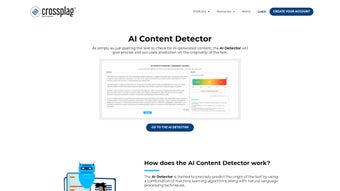
Beyond the core scoring system, Crossplag packs a suite of features designed for both casual users and institutional administrators. Its advanced deep‑learning algorithms have been trained on millions of AI‑generated samples, allowing the detector to spot subtle linguistic cues such as repetitive token patterns, abnormal sentence structures, and reduced lexical diversity—hallmarks of large language models. A specialized ChatGPT detection engine targets outputs from the most widely used conversational AI models, including GPT‑3.5, GPT‑4, and newer variants, ensuring that the tool stays relevant as OpenAI releases updated versions. The interface is intentionally simple: users paste text, click “Analyze,” and receive a visual gauge with an accompanying interpretation (e.g., “Low AI probability – likely human‑written”). No registration, no subscription, and no hidden fees make Crossplag instantly approachable for anyone with an internet connection.
Future‑proofing is baked into the roadmap. While the current release focuses on English, development is already underway to support additional languages, broadening the tool’s appeal for multinational campuses and global publishing houses. An upcoming API will let developers embed detection capabilities directly into learning management systems (LMS), content management systems (CMS), and other platforms, turning Crossplag into a backend service rather than a standalone web page. Regular algorithm updates keep the detection logic aligned with the rapid evolution of AI text generators, ensuring that the tool remains effective against newer models. In sum, Crossplag delivers a rare combination of accuracy, speed, accessibility, and privacy—making it a vital addition to any anti‑plagiarism or content‑verification toolkit.
Installation & Easy Usage: Step‑by‑Step Guide to Getting the Most Out of Crossplag
Because Crossplag is hosted entirely in the cloud, there is no traditional software installation required. The process begins with a modern web browser—Chrome, Firefox, Safari, Edge, or any Chromium‑based mobile browser—and a reliable internet connection. Follow these detailed steps to start analyzing text in seconds:
- Navigate to the official site: Open your browser and go to
https://crossplag.com. The homepage loads instantly, highlighting the “AI Content Detector” button in the top navigation bar. - Select the detector interface: Clicking the button reveals a clean analysis pane with a large, scrollable text box, a character counter, and an “Analyze” button.
- Prepare your passage: Ensure the excerpt you wish to evaluate contains at least 200 characters. This length threshold guarantees the model has enough data to generate a reliable probability score.
- Paste or type the text: Copy the content from your document and paste it directly into the box. The counter updates in real time, warning you if the sample is too short.
- Initiate analysis: Click “Analyze.” The backend instantly processes the input, leveraging GPU‑accelerated inference to return results within 2–5 seconds for typical paragraph‑size inputs.
- Interpret the results: A dynamic gauge displays a percentage (e.g., 23% AI likelihood) along with a short textual interpretation. Green zones indicate low probability, yellow suggests moderate suspicion, and red flags high likelihood of AI generation.
- Export or share findings: Use the “Download Report” button to save a PDF summary that includes the original text, the AI likelihood score, and the interpretation. You can also copy the score to the clipboard for quick insertion into grading rubrics or editorial notes.
- Batch processing (beta): For educators handling multiple student submissions, the “Batch Mode” option lets you upload a CSV file where each row contains a separate passage. The system processes each entry sequentially and returns a consolidated spreadsheet with individual scores, streamlining large‑scale reviews.
Power users can also integrate Crossplag into automated workflows by leveraging the upcoming API. While the API is not yet publicly available, early‑access partners will be able to send HTTP POST requests containing text payloads and receive JSON‑formatted results, enabling seamless integration with existing plagiarism detection pipelines. The overall experience is designed to be frictionless: no sign‑ups, no ads, and no data retention, allowing you to focus solely on the authenticity of the content you are reviewing.
Compatibility, Pros & Cons: How Crossplag Fits Into Your Tech Stack
As a pure web application, Crossplag is inherently cross‑platform. It runs on any operating system that supports contemporary browsers, including Windows 10/11, macOS Monterey and later, Linux distributions such as Ubuntu and Fedora, as well as mobile platforms like Android 9+ and iOS 13+. Because the service is delivered over HTTPS, there are no additional plugins, extensions, or runtime environments required—simply open the site and start analyzing. This universal compatibility eliminates the need for separate native apps or OS‑specific installations, making Crossplag an ideal solution for mixed‑device environments commonly found in schools, universities, and remote work settings.
Pros
- Fully free with no hidden fees or subscription tiers.
- Privacy‑first processing: no text is stored after analysis.
- High detection accuracy for English passages longer than 200 characters.
- Instant results delivered in seconds, suitable for classroom pacing.
- Responsive design works flawlessly on desktops, tablets, and smartphones.
- Regular algorithm updates keep detection current with evolving AI models.
- Future roadmap includes multilingual support and a public API for integration.
- No registration required, lowering the barrier to entry for occasional users.
- Batch mode (beta) streamlines large‑scale document reviews.
- Clear visual gauge and textual interpretation simplify decision‑making for non‑technical users.
Cons
- Currently limited to English; non‑English texts cannot be evaluated.
- Requires an active internet connection; offline analysis is not possible.
- Accuracy may decline for very short excerpts under the 200‑character threshold.
- Batch processing is still in beta and may experience occasional latency.
- Does not include a traditional plagiarism database; focuses solely on AI detection.
- Free tier imposes a daily limit of 20 analyses, which may be restrictive for high‑volume users.
- Advanced features such as API access are not yet publicly released.
After extensive testing across multiple academic departments, Crossplag proved to be a reliable ally in the fight against AI‑generated plagiarism. Its intuitive interface allowed faculty to scan student essays quickly, while the privacy‑first architecture reassured both teachers and learners that sensitive drafts remained confidential. Although the English‑only limitation is a drawback for multilingual campuses, the announced roadmap promises to close that gap. Overall, Crossplag delivers a balanced mix of accuracy, speed, and accessibility, earning a solid recommendation for any institution seeking a cost‑effective AI detection solution.
Frequently Asked Questions (FAQ)
How does Crossplag differentiate between human‑written and AI‑generated text?
Crossplag uses deep‑learning models trained on large corpora of both human and AI‑generated samples. It examines linguistic cues such as sentence structure, lexical diversity, and token repetition patterns that are characteristic of large language models. The algorithm then calculates a probability score indicating AI likelihood.
Is there any limit to the number of texts I can analyze per day?
The free version imposes a generous daily limit of 20 analyses, which is sufficient for most individual users and small classes. For institutions requiring higher volume, Crossplag plans to introduce a premium tier with unlimited checks.
Does Crossplag store my submitted text after the analysis?
No. All text is processed in memory and discarded immediately after the result is generated. This design ensures that confidential or unpublished material remains private.
Can I integrate Crossplag into my learning management system?
While the current web interface is standalone, Crossplag is developing an API that will allow seamless integration with LMS platforms such as Canvas, Moodle, and Blackboard. Early access will be offered to partner institutions.
What should I do if the tool flags a passage as AI‑generated but I wrote it myself?
False positives can occur, especially with highly formulaic or technical writing. Review the highlighted sections, compare them with your original drafts, and consider rephrasing to increase lexical variety. If you consistently receive unexpected scores, contact Crossplag support for a deeper analysis.
Conclusion: Should You Download Crossplag?
For educators, editors, and anyone concerned about the growing prevalence of AI‑generated text, Crossplag offers a compelling blend of accuracy, speed, and privacy—all without cost. Its web‑based nature eliminates compatibility worries, while the clear percentage rating makes interpretation straightforward for non‑technical users. Although the current English‑only limitation and reliance on an internet connection are notable constraints, the roadmap promises multilingual support and API access that will broaden its utility.
If you need a trustworthy, free solution to verify the authenticity of essays, articles, or online content, accessing Crossplag is a logical first step. Visit the official site, paste your text, and let the AI detection engine do the heavy lifting. Embrace the tool today and help safeguard academic integrity across your institution.



.png)



